How do I use the Vintage Golden Era Icon Poster template?
Choose the primary action to open PicX Studio with the available template settings. Review the model and format, personalize the creative direction, and generate when ready.
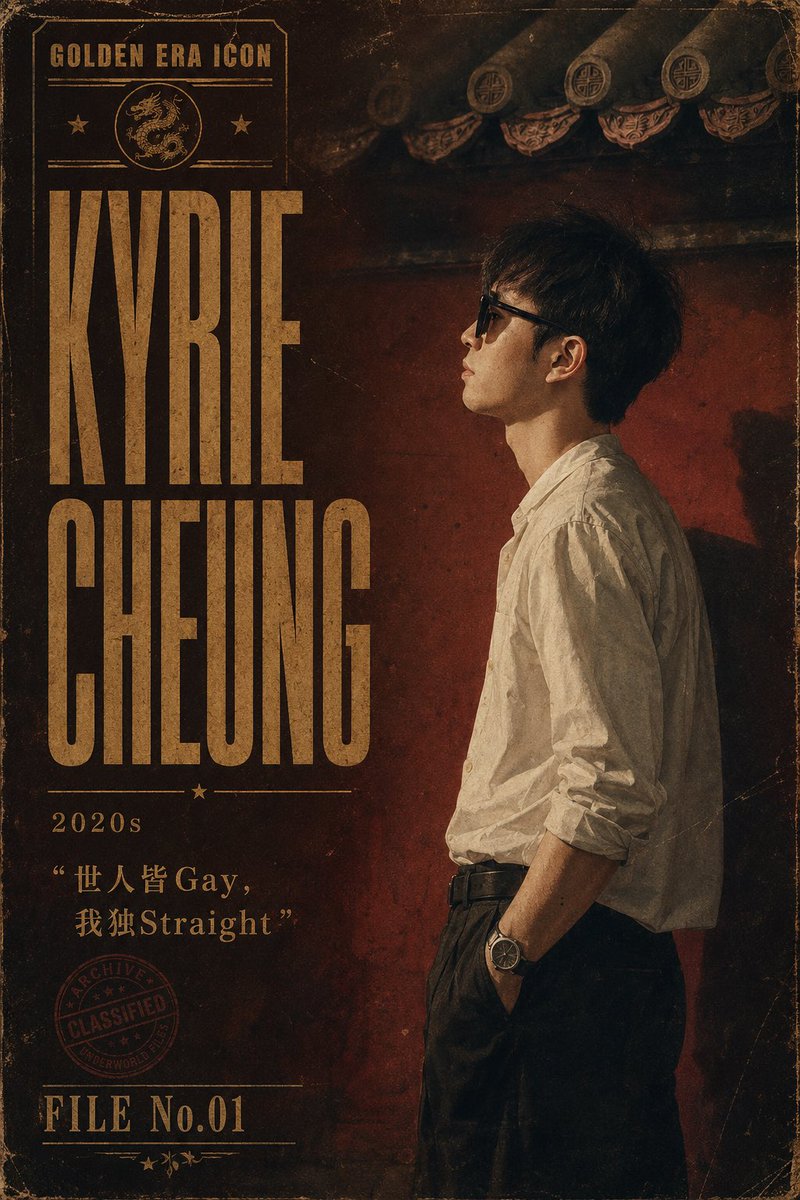
A distressed cinematic archive-style poster featuring a side-profile male portrait, bold gold typography, Chinese noir atmosphere, and customizable celebrity text. Change the subject, setting, or lighting one variable at a time.
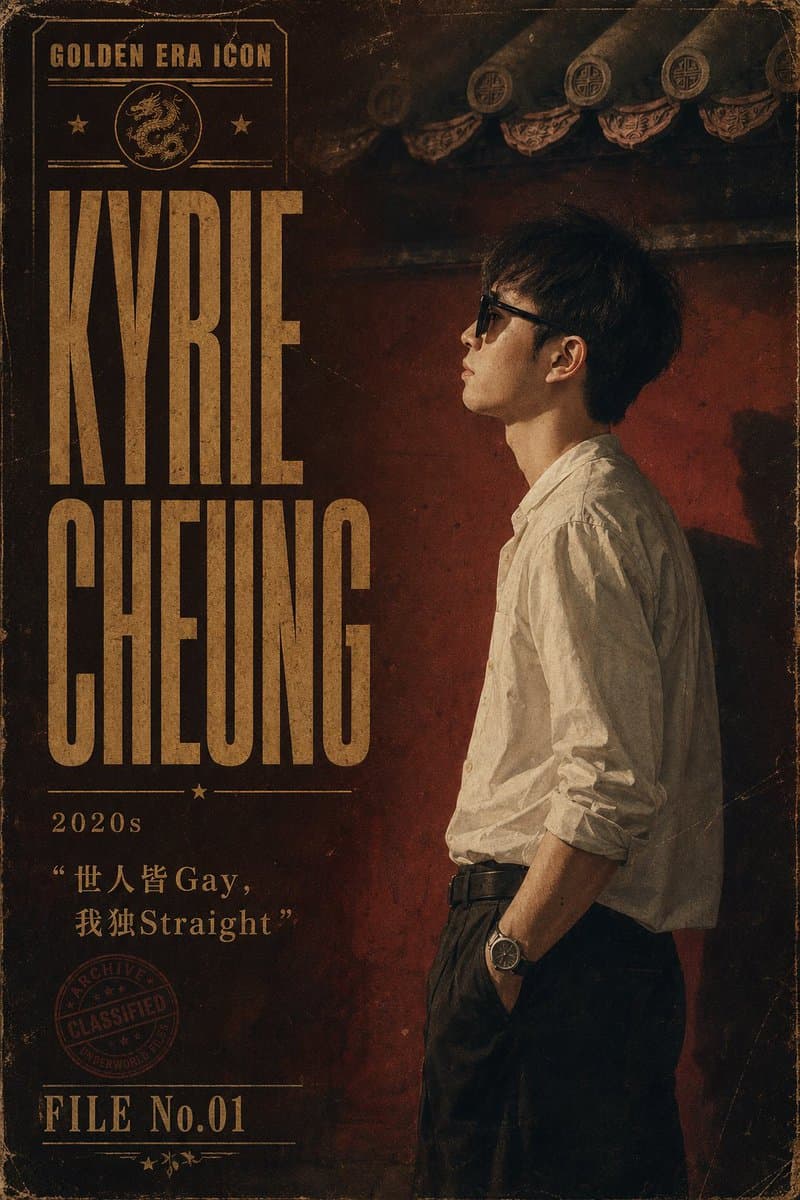
Goal: Create a vertical vintage cinematic celebrity poster styled like an aged “Golden Era Icon” archive file, featuring {argument name="celebrity name" default="KYRIE CHEUNG"} as the dominant typography and a moody side-profile portrait on the right. Canvas: Portrait poster, 2:3 aspect ratio, dark sepia and burnt-red palette, distressed paper texture, worn edges, scratches, dust, faded ink, subtle vignette, archival classified-document aesthetic. Layout: Left third is typography-heavy; right two-thirds show a young East Asian man standing in profile facing left. Top left contains a boxed label reading “GOLDEN ERA ICON” with thin horizontal rules, two small stars, and a circular dragon emblem. Below it, place huge stacked condensed block letters: “KYRIE” on top and “CHEUNG” below, in tall vintage gold type. Under the name, add a thin divider with a small star, then the decade label “2020s”. Beneath that, add the quote {argument name="quote text" default="“世人皆 Gay, 我独Straight”"} in gold, mixing Chinese characters with the English words Gay and Straight. Lower left includes a faded red circular stamp reading “ARCHIVE / CLASSIFIED / UNDERWORLD”. Bottom left reads {argument name="file label" default="FILE No.01"} with thin decorative lines and small star/floral ornaments. Subject details: The person is a slim young adult East Asian male with dark slightly messy medium-length hair, shown from head to thigh in right-side profile. His face is deliberately blurred/obscured by a rectangular soft blur block. He wears a loose off-white long-sleeve button-up shirt with rolled sleeves, tucked into dark high-waisted trousers with a black belt. One hand rests in his trouser pocket, and a wristwatch is visible. Pose is relaxed, elegant, and introspective. Background: Dark old Chinese architectural setting with a deep red wall, shadowy roof eaves at the top, decorative circular roof ornaments and patterned trim. Lighting is low, dramatic, warm, and directional, casting soft shadows and emphasizing the vintage poster mood. Visual style: 1930s–1970s Chinese noir poster meets modern editorial photography, grainy film texture, letterpress typography, aged gold ink, high contrast, cinematic shadows, historical archive design. Use exactly 1 portrait figure, 1 dragon emblem, 2 large name words, 1 decade label, 1 quote block, 1 circular classified stamp, and 1 file-number block. No extra logos or watermarks.
Choose the primary action to open PicX Studio with the available template settings. Review the model and format, personalize the creative direction, and generate when ready.
Yes. You can change the subject, setting, lighting, mood, format, and available model controls before creating your image.
This template is free to open and customize. Generation usage is shown in PicX Studio before you create.
Start with GPT Image 2, which is the model associated with this template. You can compare another compatible model for a different finish.
© 2026 PicX Studio. All rights reserved.

Follow a topic to a crawlable collection of related PicX Studio templates.
43,474 public templates available. Verified via the PicX Studio public templates API; refreshed hourly.



![Japan Travel Brochure Poster — Create a vertical vintage travel-brochure infographic poster titled “[COUNTRY/DESTINATION]: [TAGLINE]”, using a warm parchment-pa](/_next/image?url=https%3A%2F%2Fcdn.picxstudio.com%2Fuploads%2Fp0_982bf820-bb34-4c43-8a6d-42d799d7282b.jpg&w=828&q=100)


![Vintage Travel Posters by Nano Banana 2 — Vintage illustrated travel poster of [COUNTRY], aged parchment background texture, ornate gold baroque decorative bord](/_next/image?url=https%3A%2F%2Fcdn.picxstudio.com%2Fuploads%2Fvintage_poster_54cea1be-2a96-40ae-bb2d-1fa2cdcbccc6.jpg&w=828&q=100)





![Minimalist Flat Vector Travel Poster — Premium minimalist flat-vector travel poster for {argument name="city name" default="[CITY_NAME]"}, 3:4 vertical format.](https://cms-assets.youmind.com/media/1787917359711_3ug846_HQX205cbMAA6F6S-300x400.jpg)