How do I use the Censored Dragon Musician Portrait template?
Choose the primary action to open PicX Studio with the available template settings. Review the model and format, personalize the creative direction, and generate when ready.
Generates a vertical anime fantasy portrait of a horned dragon musician holding a traditional string instrument, useful for character art concepts.
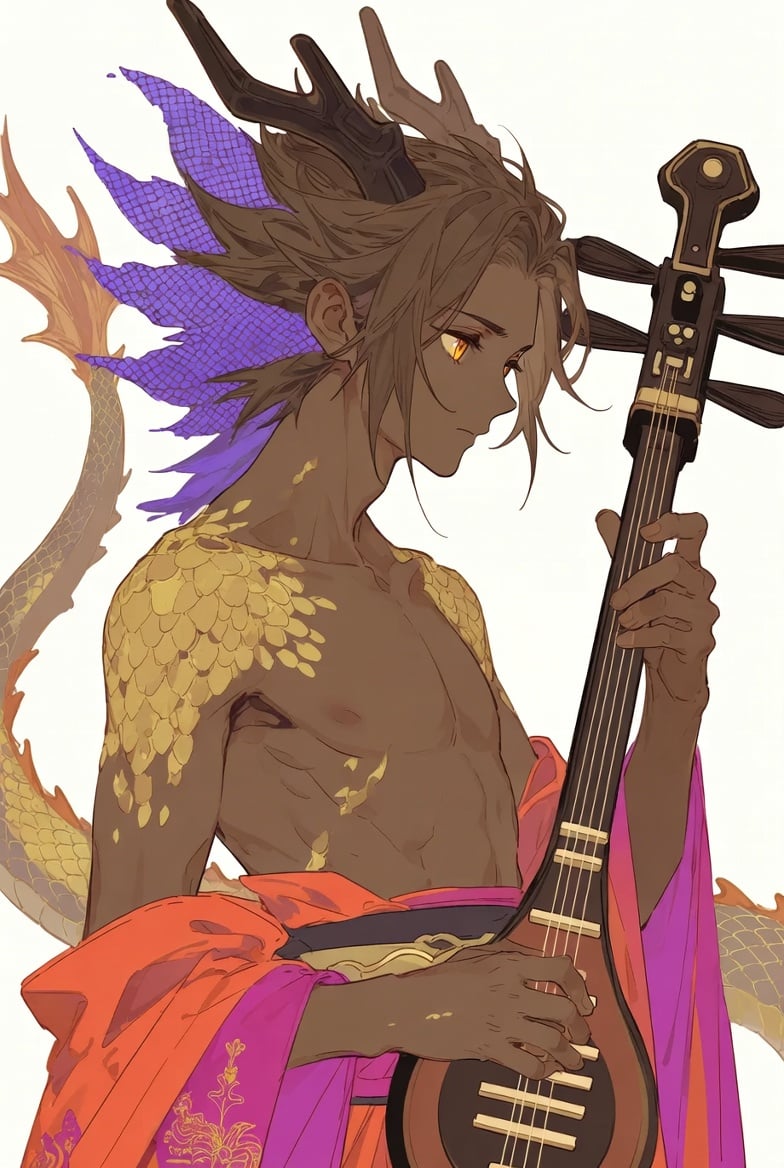
Create a vertical fantasy anime illustration of a {argument name="character name" default="dragon musician"}, a shirtless dark-brown-skinned male humanoid dragon in three-quarter profile facing right, holding a tall black string instrument like a shamisen or lute. His face is deliberately covered by a flat opaque brown square censor block centered over the eyes, nose, and mouth. He has long tousled {argument name="hair color" default="ash brown"} hair swept back, two dark branching antler-like horns rising from his head, one pointed ear visible with a small earring, and a long golden-scaled dragon tail curling behind him on the left. Add four large jagged purple fin-like scales behind his head and neck, with a mesh scale texture, plus gold scale patches on both shoulders, collarbone, chest, and forearms. His torso is muscular and lean with defined abs, bare chest, and warm cel-shaded highlights. Dress him in a vivid draped robe around the waist and arms: {argument name="robe colors" default="orange and magenta"} fabric with gold floral embroidery near the lower left, loose sleeves flowing around the instrument. The instrument is vertical on the right side of the composition, with a black body and neck, gold fittings, visible frets and strings, a decorative headstock, and dark tassel-like horizontal cords near the top; one hand grips the neck while the other rests near the strings. Use elegant Japanese-inspired fantasy character art, clean ink lines, soft painterly cel shading, warm gold accents, high-detail scales and hair strands, a pale off-white background, close cropped composition from thighs to head, dramatic but calm mood, no text, no watermark.
Choose the primary action to open PicX Studio with the available template settings. Review the model and format, personalize the creative direction, and generate when ready.
Yes. You can change the subject, setting, lighting, mood, format, and available model controls before creating your image.
This template is free to open and customize. Generation usage is shown in PicX Studio before you create.
Start with GPT Image 2, which is the model associated with this template. You can compare another compatible model for a different finish.
Follow a topic to a crawlable collection of related PicX Studio templates.