How do I use the Punk AI Sprint Flyer template?
Choose the primary action to open PicX Studio with the available template settings. Review the model and format, personalize the creative direction, and generate when ready.
A gritty punk-collage event poster prompt for creating rebellious promotional artwork for tech sprints, hack nights, or underground creative events. Change the subject, setting, or lighting one variable at a time.
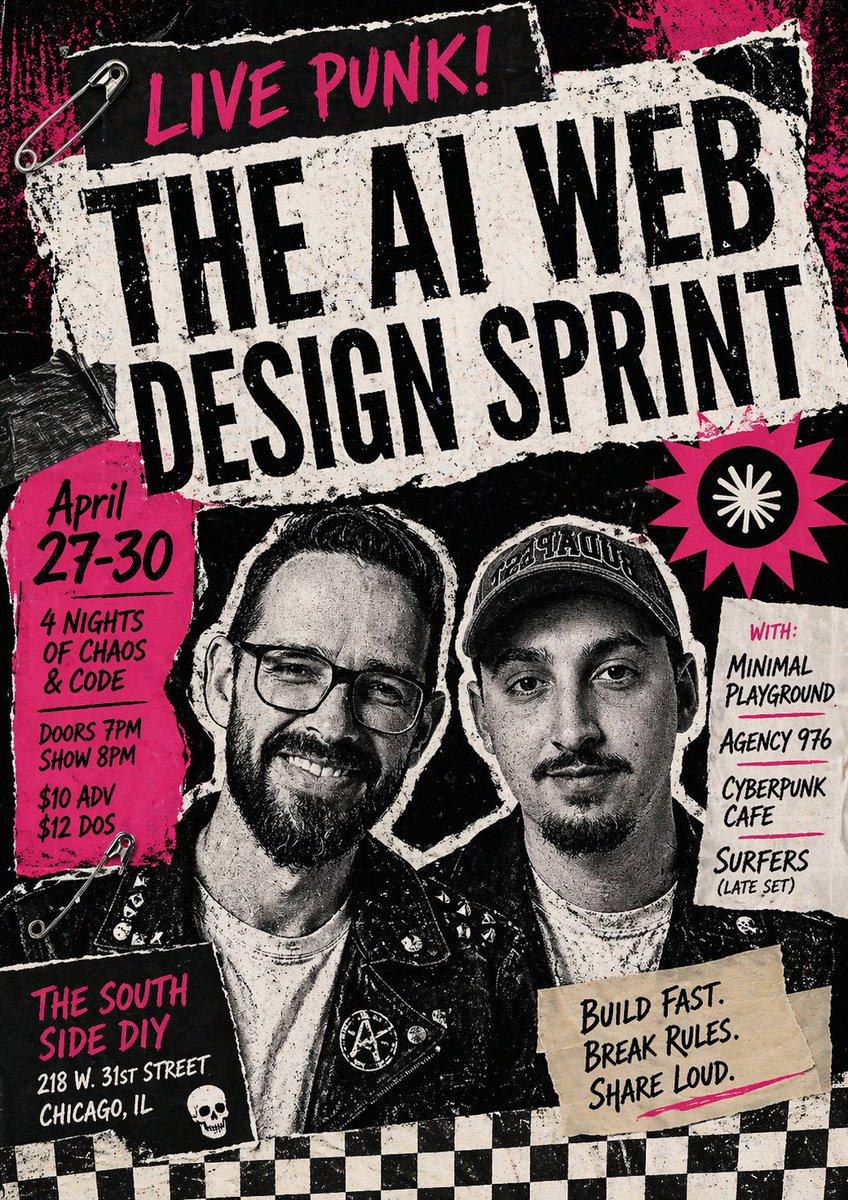
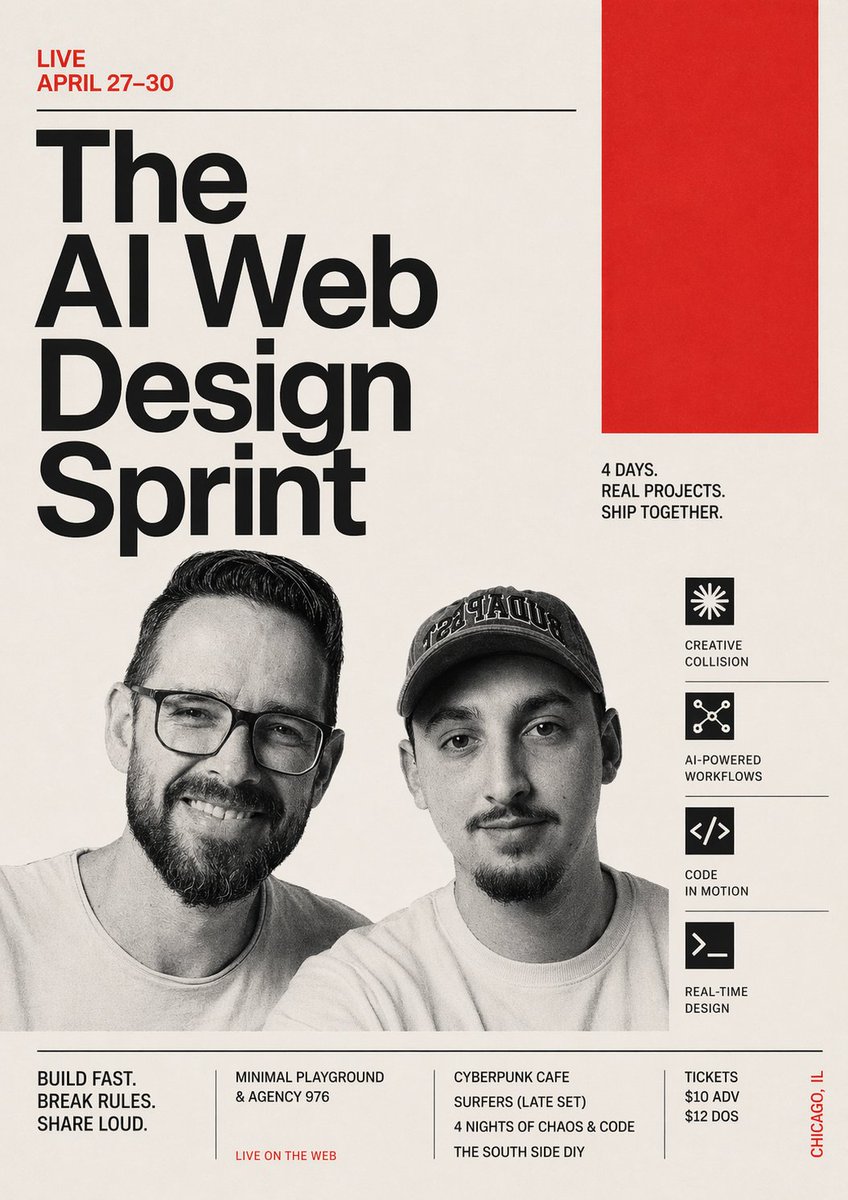
Create a raw, high-contrast punk rock gig poster collage for an event called {argument name="event title" default="THE AI WEB DESIGN SPRINT"}. The design should feel like a xeroxed underground flyer pasted on a city wall: rough torn paper edges, photocopy grain, ink smudges, distressed black-and-white textures, hot magenta paint splashes, DIY zine aesthetics, and chaotic layered paper scraps taped and pinned together. Use a vertical poster composition with a black background and a central oversized torn white rectangle set at a slight angle, filled with huge condensed black distressed lettering for the main title. At the very top, add a smaller black torn strip with handwritten brush lettering in neon magenta reading {argument name="top slogan" default="LIVE PUNK!"}. On the left side, place a hot pink torn paper block with hand-drawn black text listing the date {argument name="event dates" default="April 27-30"}, then smaller stacked lines reading "4 NIGHTS OF CHAOS & CODE", "DOORS 7PM", "SHOW 8PM", "$10 ADV", and "$12 DOS". On the right side, add an off-white torn note with magenta "WITH:" at the top and four supporting acts listed in black handwritten text: "Minimal Playground", "Agency 976", "Cyberpunk Cafe", and "Surfers (Late Set)". In the center-lower area, show exactly 2 black-and-white photocopied punk band members from the chest up, standing shoulder to shoulder, both wearing leather jackets with patches and pins; the left one has round glasses, the right one wears a baseball cap. Their faces should be generic and partially obscured by the collage styling so the poster focus remains typographic and graphic rather than portrait-specific. Add a hot pink spiky starburst on the mid-right containing a black circle with a simple white radial symbol. Near the bottom right, place a beige masking-tape-like paper scrap with bold handwritten black text reading "Build Fast. Break Rules. Share Loud.". Near the bottom left, add a black rectangular venue block with magenta hand lettering for {argument name="venue name" default="THE SOUTH SIDE DIY"} and smaller white address text "218 W. 31st Street" and "Chicago, IL", plus a small white skull icon nearby. Include exactly 2 silver safety pins, one near the upper left corner and one near the lower left area, and exactly 1 strip of dark duct tape on the left edge of the main title paper. Finish the bottom edge with a black-and-white checkerboard strip spanning the full width. Overall mood: rebellious, loud, youthful, anarchic, street-pasted punk flyer meets tech event promo, with intense contrast, gritty halftone noise, screen-print imperfections, and hand-made collage energy.
Choose the primary action to open PicX Studio with the available template settings. Review the model and format, personalize the creative direction, and generate when ready.
Yes. You can change the subject, setting, lighting, mood, format, and available model controls before creating your image.
This template is free to open and customize. Generation usage is shown in PicX Studio before you create.
Start with GPT Image 2, which is the model associated with this template. You can compare another compatible model for a different finish.
© 2026 PicX Studio. All rights reserved.

Follow a topic to a crawlable collection of related PicX Studio templates.
43,474 public templates available. Verified via the PicX Studio public templates API; refreshed hourly.














![Minimalist Flat Vector Travel Poster — Premium minimalist flat-vector travel poster for {argument name="city name" default="[CITY_NAME]"}, 3:4 vertical format.](https://cms-assets.youmind.com/media/1787917359711_3ug846_HQX205cbMAA6F6S-300x400.jpg)