- type
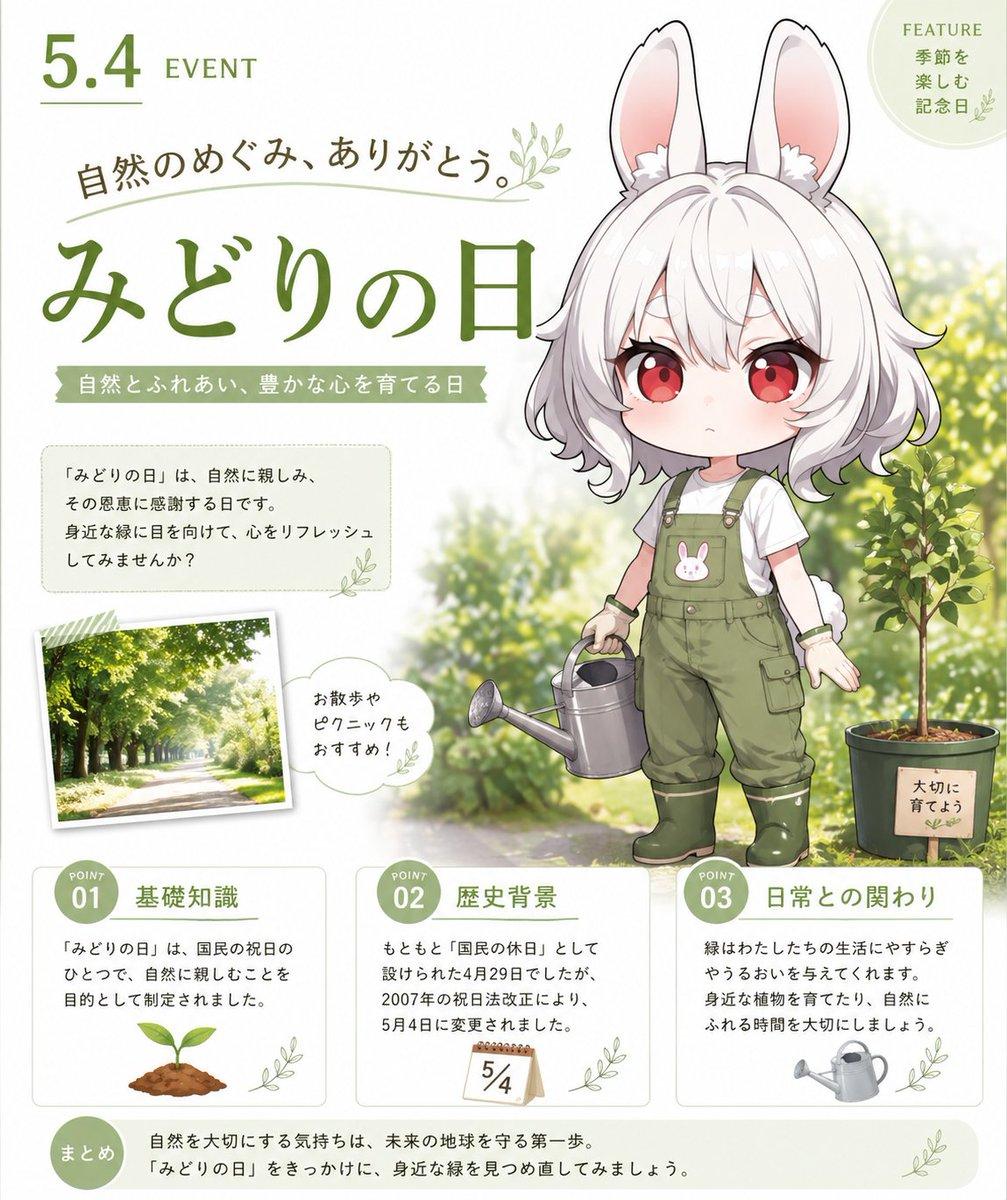
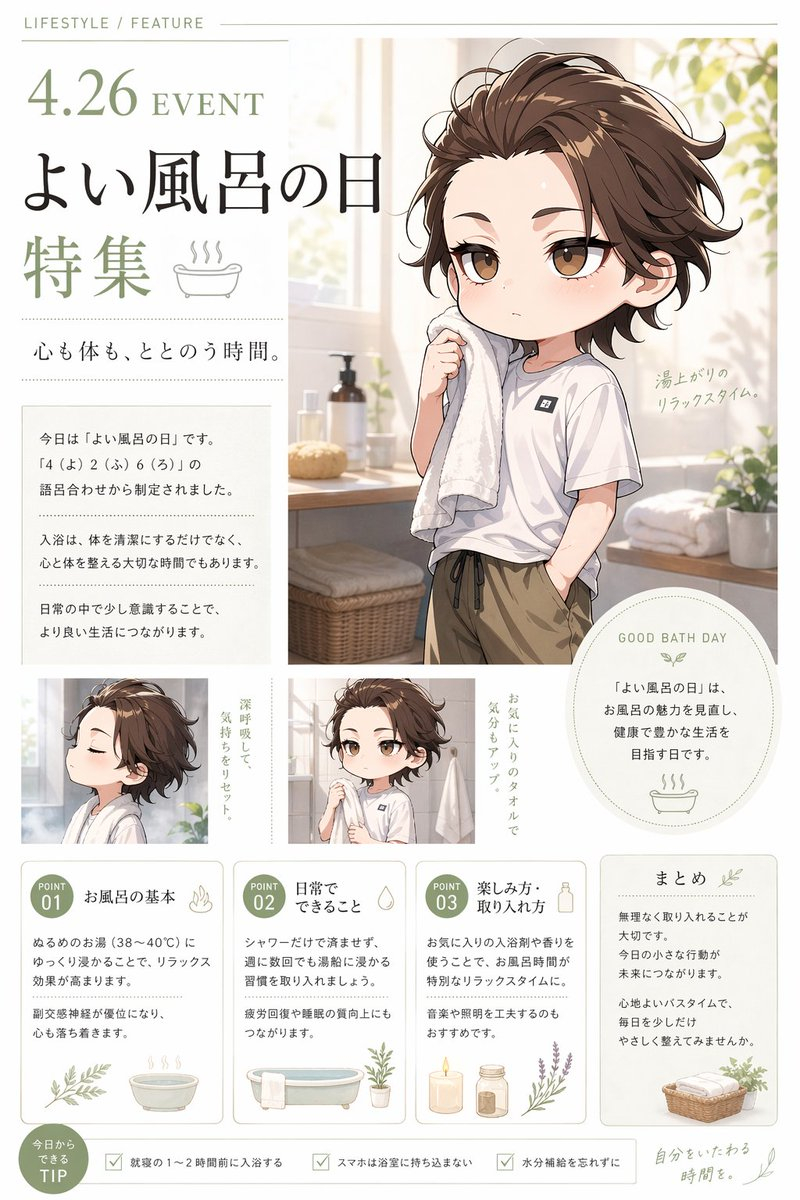
- cute Japanese holiday infographic poster
- theme
- Greenery Day / nature appreciation
- top left date
- {argument name="event date" default="5.4"}
- small label
- EVENT
- main title
- {argument name="main title" default="みどりの日"}
- subtitle
- 自然のめぐみ、ありがとう。
- ribbon text
- 自然とふれあい、豊かな心を育てる日
- position
- right half, standing full body
- style
- adorable chibi anime mascot, soft cel shading, glossy eyes, polished GPT-image-2 illustration quality
- description
- small white rabbit-eared girl with fluffy short white hair, long upright bunny ears with pink inner ears, red eyes, tiny serious expression, white T-shirt, olive green gardening overalls with a bunny patch on the chest, green rubber boots, wrist bands, small round tail visible, holding a silver watering can in one hand
- customizable outfit color
- {argument name="outfit color" default="olive green"}
- count
- 2
- items
- silver watering can held by the character, potted young green tree at lower right with a small wooden sign reading 大切に育てよう
- title
- feature badge
- position
- top right circular badge
- count
- 1
- labels
- FEATURE 季節を楽しむ記念日
- title
- intro text box
- position
- left middle under headline
- count
- 1
- labels
- 『みどりの日』は、自然に親しみ、その恩恵に感謝する日です。身近な緑に目を向けて、心をリフレッシュしてみませんか?
- title
- photo card
- position
- lower left-middle, tilted polaroid style
- count
- 1
- labels
- sunlit tree-lined park path photograph
- title
- speech bubble
- position
- beside photo card
- count
- 1
- labels
- お散歩やピクニックもおすすめ!
- title
- information cards
- position
- bottom row
- count
- 3
- labels
- POINT 01 基礎知識, POINT 02 歴史背景, POINT 03 日常との関わり
- title
- summary bar
- position
- very bottom
- count
- 1
- labels
- まとめ 自然を大切にする気持ちは、未来の地球を守る第一歩。『みどりの日』をきっかけに、身近な緑を見つめ直してみましょう。
- number
- 01
- heading
- 基礎知識
- body
- 『みどりの日』は、国民の祝日のひとつで、自然に親しむことを目的として制定されました。
- icon
- small green sprout growing from soil
- number
- 02
- heading
- 歴史背景
- body
- もともと『国民の休日』として設けられた4月29日でしたが、2007年の祝日法改正により、5月4日に変更されました。
- icon
- small calendar page marked 5/4
- number
- 03
- heading
- 日常との関わり
- body
- 緑はわたしたちの生活にやすらぎやうるおいを与えてくれます。身近な植物を育てたり、自然にふれる時間を大切にしましょう。
- icon
- small gray watering can
- style
- Japanese editorial design, rounded Mincho/Gothic mix
- colors
- moss green, sage green, dark olive, soft beige
- emphasis
- large brush-like green Japanese title, thin decorative rules, rounded white cards with pale green borders
- mood
- gentle, educational, seasonal, wholesome, celebratory
- rendering notes
- high resolution, crisp readable Japanese text, balanced composition with character overlapping the soft garden background, no clutter, no extra sections beyond the counted elements
- customizable holiday
- {argument name="holiday name" default="みどりの日"}
- customizable summary
- {argument name="summary message" default="自然を大切にする気持ちは、未来の地球を守る第一歩。『みどりの日』をきっかけに、身近な緑を見つめ直してみましょう。"}



















![Nano Banana — One Day In [CITY] Travel Route](/_next/image?url=https%3A%2F%2Fcdn.picxstudio.com%2Fuploads%2Fai_gezgini_travel_d9a86f2e-c1f5-41a8-a4ef-5d96a8a7a023.jpg&w=828&q=100)