How do I use the Ghibli-Style Man at Opéra Garnier template?
Choose the primary action to open PicX Studio with the available template settings. Review the model and format, personalize the creative direction, and generate when ready.
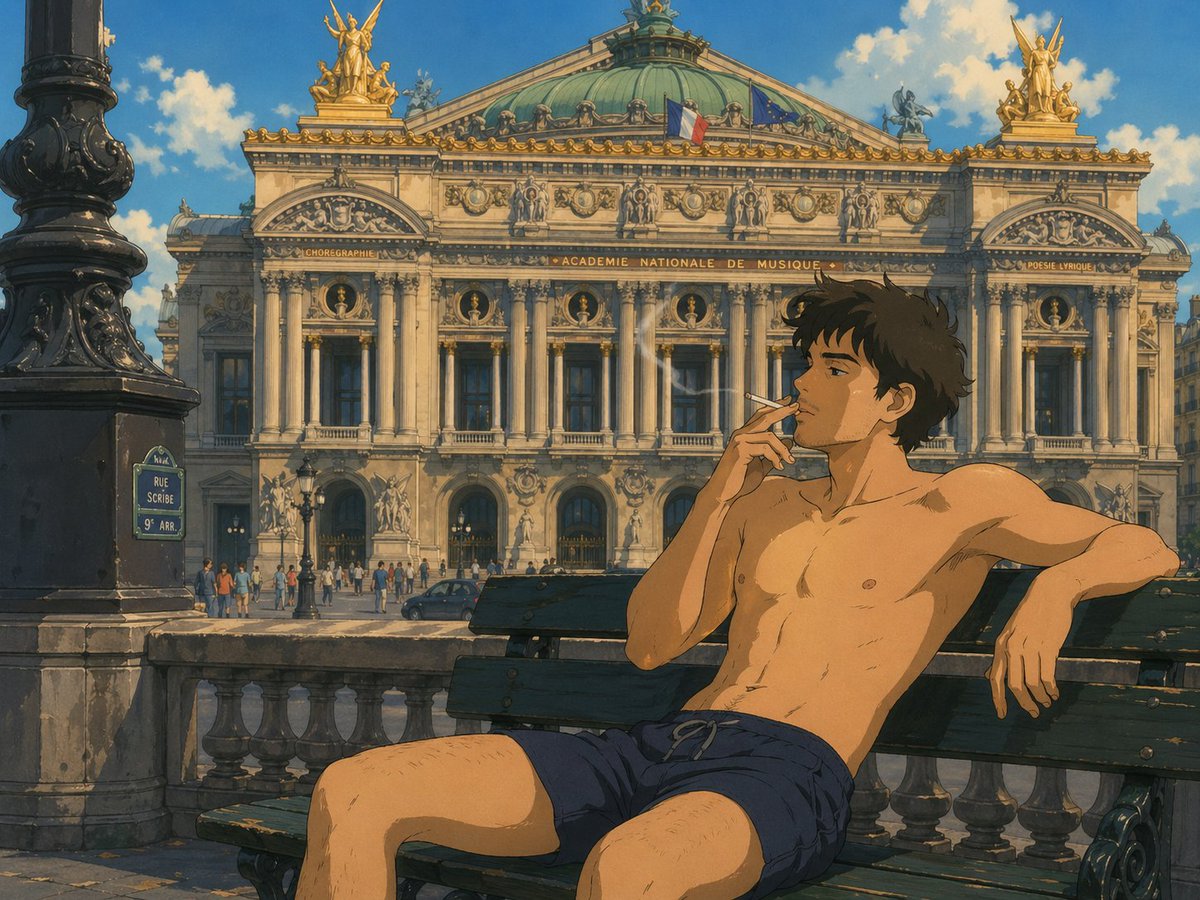
A Studio Ghibli-inspired anime scene of a shirtless man smoking on a bench before the Opéra Garnier, ideal for cinematic travel-art or stylized Paris character illustrations. (free to use) — Free AI image template on PicX Studio.
A warm, painterly anime illustration in a Studio Ghibli-inspired style, showing a {argument name="subject type" default="young man"} sitting shirtless on a dark green wooden bench in front of the Palais Garnier opera house in Paris. He wears only {argument name="shorts color" default="navy blue"} drawstring shorts, has a slim athletic build, lightly tousled dark brown hair, and a relaxed, casual pose with one arm stretched along the bench backrest and the other hand delicately holding a lit cigarette near his mouth. His legs are apart in a natural seated posture, and thin wisps of smoke rise in the sunlit air. The background is a detailed frontal view of {argument name="landmark" default="the Opéra Garnier"}, rendered with ornate Beaux-Arts architecture, tall columns, sculpted figures, gilded rooftop statues, a green oxidized copper dome, and two visible flags on the roof: the French flag and the European Union flag. In the left foreground, include 1 large black ornate lamppost and 1 blue Paris street sign reading {argument name="street sign text" default="RUE SCRIBE 9e ARR."}. Add a stone balustrade between the bench and the street, a small crowd of pedestrians near the opera entrance, and 1 dark car on the road. Use bright afternoon sunlight, soft blue sky, fluffy white clouds, cinematic composition, hand-painted textures, nostalgic cel-animation color grading, and a serene, romantic European summer atmosphere.
Use Ghibli-Style Man at Opéra Garnier to plan an AI image around gpt-image-2 generation, themes such as en and gpt-image-2. Match the preview's composition first, then personalize the subject, setting, and mood for your own project.
Use the primary action to load the template settings in PicX Studio.
Adjust the subject and creative details for your destination.
Create the image, compare the result with the preview, and refine one variable at a time.
A continuous mix — similar concepts first, woven with same-model prompts and fresh picks from the catalog.
Choose the primary action to open PicX Studio with the available template settings. Review the model and format, personalize the creative direction, and generate when ready.
Yes. You can change the subject, setting, lighting, mood, format, and available model controls before creating your image.
This template is free to open and customize. Generation usage is shown in PicX Studio before you create.
Start with gpt-image-2, which is the model associated with this template. You can compare another compatible model for a different finish.
A continuous mix — similar concepts first, woven with same-model prompts and fresh picks from the catalog.
Follow a topic to a crawlable collection of related PicX Studio templates.
28,404 public templates available. Verified via the PicX Studio public templates API; refreshed hourly.