How do I use the Cleaned Taisho Mystery Game Title Screen template?
Choose the primary action to open PicX Studio with the available template settings. Review the model and format, personalize the creative direction, and generate when ready.
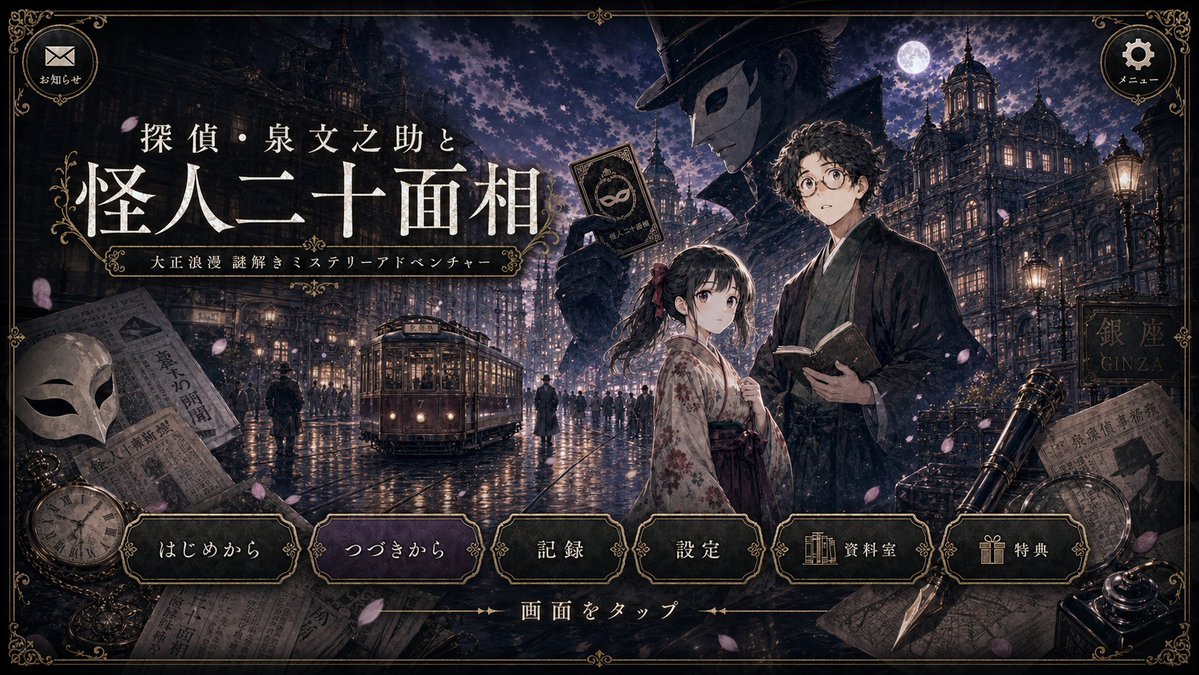
Generates a polished revision of a Taisho-romantic mystery visual novel title screen while preserving the original layout and UI.
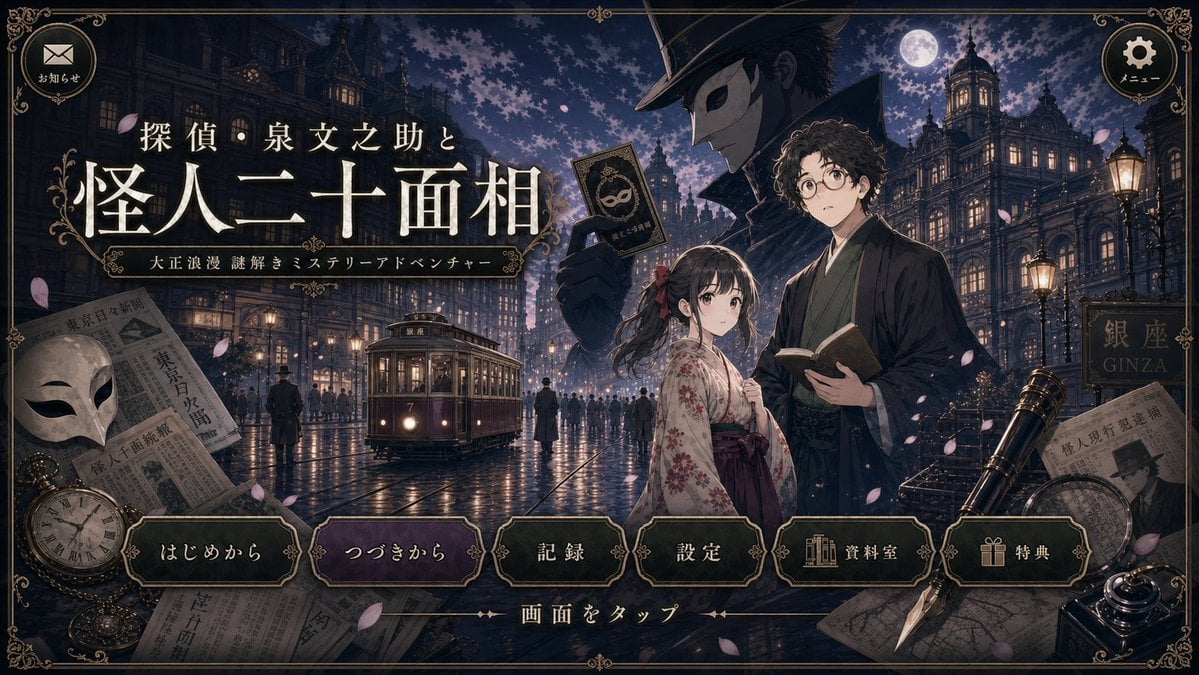
Using the provided reference image, create a cleaned-up revised version of the same Taisho-romantic mystery game title screen. Preserve the overall composition, Japanese logo text, ornate UI frame, character placement, moonlit Ginza street setting, and all interface elements unchanged, including the 2 top circular buttons and the 6 bottom menu buttons labeled 「はじめから」, 「つづきから」, 「記録」, 「設定」, 「資料室」, and 「特典」. Redraw the linework and repaint the colors for a sharper, higher-quality illustration with clearer edges, richer but still dark antique tones, and more polished lighting. Correct the streetcar so it has a more believable vintage tram shape, perspective, windows, rails, and front details. Greatly reduce GPT-image-style tiny dot garbage, speckle noise, random artifacts, muddy textures, and messy broken lines while keeping the cinematic nighttime atmosphere, falling petals, wet pavement reflections, newspapers, mask, pocket watch, telescope, pen, and decorative border.
Cleaned Taisho Mystery Game Title Screen needs input media to work. Open it in the studio and these load alongside the prompt — pick whichever ones your chosen model can take.
Choose the primary action to open PicX Studio with the available template settings. Review the model and format, personalize the creative direction, and generate when ready.
Yes. You can change the subject, setting, lighting, mood, format, and available model controls before creating your image.
This template is free to open and customize. Generation usage is shown in PicX Studio before you create.
Start with GPT Image 2, which is the model associated with this template. You can compare another compatible model for a different finish.
Follow a topic to a crawlable collection of related PicX Studio templates.